LinkBack URL
 About LinkBacks

When you want to make a deposit you have to follow all these steps:
1) Log in your YS account
2) Click on "Add deposits"
3) Type the amount you want to invest
4) THEN you are redirected in the E-Gold website, to autorize the transaction
5) Enter your E-Gold passphrase
6) Confirm the transaction, always in the E-Gold website
7) Once the E-Gold transaction confirmed, you are redirected back in your YS account. Then, you should find your new deposits added in your Account balance.
Please visit our sponsors
Results 1 to 5 of 5
Thread: YS ADMIN please help...
Threaded View
-
16-08-2006, 07:56 AM #4CEO OF YELLOWSTONES.NET

- Join Date
- Jul 2006
- Posts
- 143
- Feedback Score
- 0
- Thanks
- 0
- Thanked 0 Times in 0 Posts


Thread Information
Users Browsing this Thread
There are currently 1 users browsing this thread. (0 members and 1 guests)
 Posting Permissions
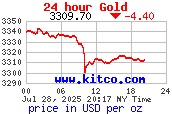
24 Hour Gold
Advertising
- Over 20.000 UNIQUE Daily!
- Get Maximum Exposure For Your Site!
- Get QUALITY Converting Traffic!
- Advertise Here Today!
Out Of Billions Of Website's Online.
Members Are Online From.
- Get Maximum Exposure For Your Site!
- Get QUALITY Converting Traffic!
- Advertise Here Today!
Out Of Billions Of Website's Online.
Members Are Online From.